

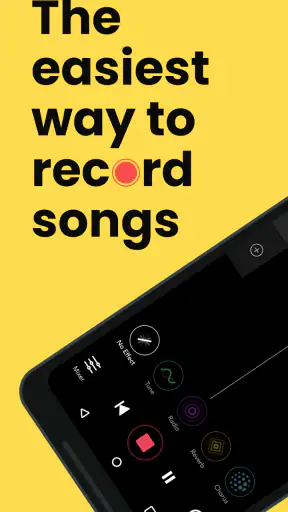
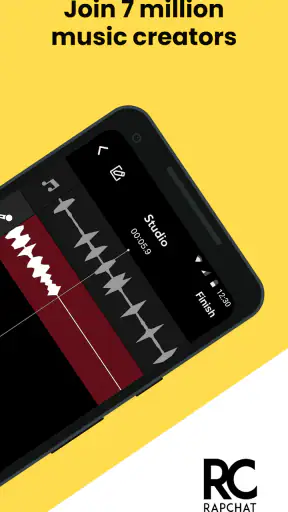
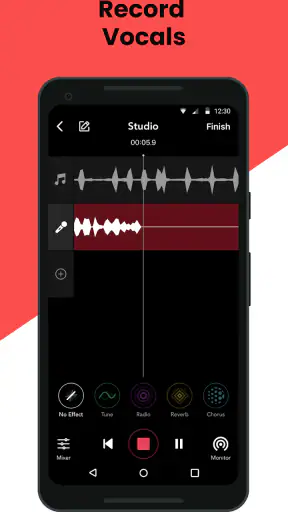
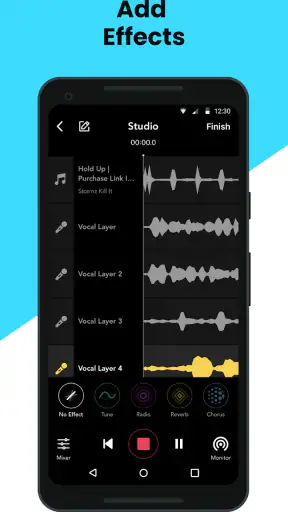
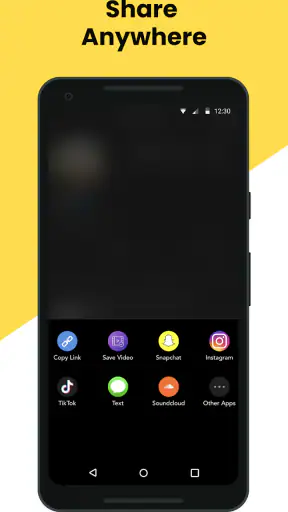
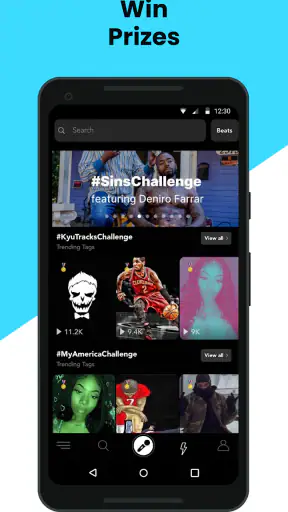
I opened Rapchat: Music Maker Studio expecting a quick way to record a rap idea, and that is still the best way to understand it. This free Music & Audio app from Rapchat, Inc. is built around making songs rather than simply playing them. You choose a beat, record vocals, shape the sound with effects and mixing tools, and work with other people when the idea grows beyond a solo demo.
That sounds simple, but music apps often become frustrating at the exact moment inspiration arrives. A beat may not feel right, a vocal take may sound late, or a recording can seem much worse through a phone speaker than it did while wearing headphones. My experience is that Rapchat works best when I treat it as a fast creative studio, not as a replacement for a full desktop production setup. It gets me from a lyric or melody to a shareable track quickly, while still leaving room to improve the performance.
The app has built a substantial audience, with a 4.7 average from around 96 thousand ratings and over 5 million installs. Those figures suggest that it is not a niche toy, but popularity does not remove the need for a little preparation. The most useful part of this review is therefore not simply whether it can record a song. It is how to avoid the common points where a promising session turns into a confusing one.
Getting past the confusing parts of a first session
Why the first recording can feel harder than expected
The biggest early mistake is pressing record before deciding what kind of session I am trying to make. Rapchat can serve as a notebook for unfinished bars, a place to build a complete song, or a way to trade ideas with collaborators. Those uses need different levels of preparation. For a quick idea, I can accept rough timing and a basic vocal sound. For a finished track, I need to choose the beat carefully, listen for its main accents, and leave enough space for my delivery.
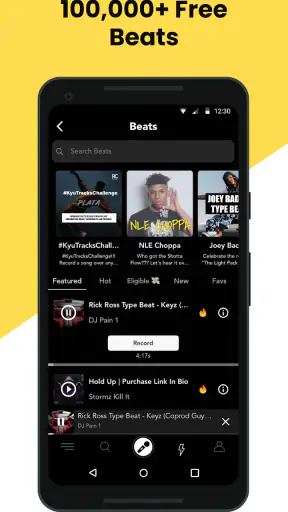
The large beat selection is exciting, but it can also slow me down. The store summary describes more than 400 thousand beats, and that scale creates a practical problem: finding a beat is not the same as finding the right beat. I get better results when I first decide on a mood and flow, then audition only a small group instead of scrolling endlessly. A beat that sounds impressive alone may leave no room for my voice, while a simpler instrumental can make the lyrics feel much stronger.
Another point of friction is monitoring. I may hear the instrumental clearly while recording, but still discover that the vocal sits too far forward or behind it during playback. That does not automatically mean the app has failed. Phone microphones, Bluetooth delay, room reflections, and the way I hold the device can all change the result. I now make a short test recording before writing a full verse. Ten seconds is enough to reveal whether the timing and vocal level are usable.
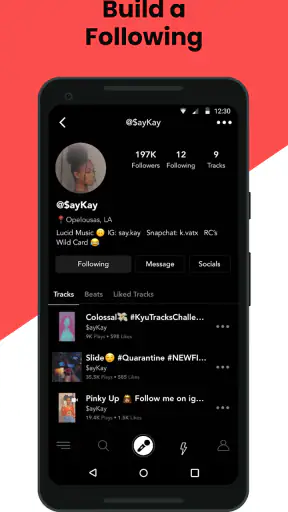
The Teen content rating is also worth taking seriously if the app is being considered for a younger listener or performer. Rapchat is a creative social music environment, so I would not treat it like a completely private notebook. Anyone using it should understand the difference between saving an idea for personal work and sharing something publicly or with collaborators. I also prefer to avoid putting personal details into lyrics, profile material, or recordings that I have not decided to share.
Small setup checks that prevent wasted takes
Before recording, I check the basics in a fixed order. I close other audio-heavy apps, make sure the phone has enough free space for a session, and use headphones when possible. Wired headphones are usually the safer choice for recording because wireless audio can introduce delay. If I only have Bluetooth available, I make a short test first and judge the timing by listening back rather than assuming the performance is aligned.
I also check the physical position of the phone. Holding it too close can make consonants harsh and cause uneven volume when I move during a verse. Placing it too far away can make the room more noticeable and leave the vocal thin. I keep the microphone area unobstructed and try to maintain a consistent distance. This is a simple change, but it often improves a take more than adding another effect.
The minimum operating system is 10, so I confirm that the device meets that requirement before troubleshooting anything inside the app. The current version is 8.11.0, and keeping the installed version current is a sensible first step when a control behaves unexpectedly. I would not begin by reinstalling or deleting projects. First I would close and reopen the app, check the connection, and make a small test project to see whether the problem affects one session or every session.
Rapchat is free to download, but in-app purchases range from $3.89 to $49.99 per item. That matters when deciding how deeply to build a workflow around it. I can start without committing money, which is useful for testing the recording process, the beat search, and the general feel of the editor. Before paying for anything, I would spend several sessions learning what is already available and identifying the exact limitation I am trying to solve.
A reliable way to build a song instead of losing the idea
My preferred workflow begins with a rough vocal, not a polished performance. I choose a beat, record a short hook or eight bars, and listen back before spending time on a complete arrangement. This exposes problems early: perhaps the beat is too busy, the key does not suit my voice, or the flow needs more pauses. Recording the whole song first can make those issues expensive in time because I become attached to a weak foundation.
Once the basic idea works, I record separate attempts rather than trying to rescue one imperfect take forever. A first pass is for rhythm and words. A second pass is for clearer pronunciation and stronger energy. If I want effects, I add them after I know the dry performance is working. Vocal effects can make a rough take more interesting, but they cannot fix lyrics that are rushed or a microphone that was covered by a hand.
The mixing tools are most useful when I make small changes and compare them immediately. I listen for whether the vocal remains understandable over the beat, especially during the busiest sections. I also check the beginning and ending of the track, where abrupt starts or cuts can be more distracting than a slightly imperfect middle. This is one of the app’s strengths: it encourages quick experimentation. Its weakness is that quick controls can tempt me to keep changing things without a clear listening goal.
For a collaboration, I establish the creative plan before recording a final take. We agree on who handles the hook, where each verse begins, and whether the song is meant to sound polished or deliberately raw. That prevents the common problem of two good performances competing for the same space. Collaboration is most rewarding when the app is used to exchange focused parts, not when everyone records without a shared structure.
Recovering when a take, project, or idea goes wrong
When a recording does not sound right, I avoid immediately blaming the effect chain. I first replay the take with the beat and vocal levels adjusted enough to hear both clearly. If the timing is consistently late, I test the monitoring setup. If only certain words disappear, I look at delivery and microphone position. If the whole recording sounds distant, I move to a quieter space and keep the phone’s microphone clear.
A useful recovery technique is to preserve the original idea before experimenting. I make a new attempt with the same lyrics and beat, then change only one thing: distance from the microphone, headphone choice, vocal intensity, or effect setting. Changing everything at once makes it impossible to know what helped. This one-variable approach is slower for a minute and much faster over a full session.
If the app appears stuck, I separate a project-specific issue from a general app issue. I create a tiny test recording with a different beat or a fresh session. If that works, I return to the original project carefully rather than repeatedly tapping the same control. If nothing records anywhere, I restart the app and device, confirm the operating system requirement, and check whether the phone is already using its microphone or audio output elsewhere. These are ordinary checks, but they prevent unnecessary panic and protect unfinished work.
I am especially careful before removing the app or clearing its storage. A troubleshooting step that fixes a technical problem can also remove local work if I have not preserved it. I prefer to finish the current session, keep a separate copy of important lyrics, and only then consider more drastic repairs. For a creative app, the words and arrangement are often more valuable than the individual audio take, so I keep those outside the app as well.
When the phone or room is the real problem
Not every poor result comes from Rapchat. A reflective kitchen, a fan, traffic, or a second person talking nearby can make a vocal sound unfinished even when the recording controls are working normally. I get a cleaner result in a small, quiet room with soft furnishings. I do not need professional acoustic treatment for a demo, but I do need to reduce the obvious reflections and background noise.
Device performance can also affect the experience. If the phone is hot, low on storage, or busy with several background tasks, I may see sluggish behavior across more than one app. In that situation, blaming the music editor is premature. I close unnecessary apps, let the device cool, and retry a short session. If the issue appears only with one particular project, I treat that project differently from a system-wide failure.
Internet conditions may matter during parts of the experience that involve browsing or working with online material. A weak connection can make content appear slow or unavailable, while the microphone and playback hardware may be perfectly fine. I test again on a stable connection before changing the entire setup. I also avoid making a final judgement from one crowded public network, since the surrounding connection can be the limiting factor.
There is a difference between a rough sound and a broken sound. Rap music can benefit from character, breath, and a little imperfection, but clipping, severe delay, or missing words are technical problems worth correcting. I ask whether the flaw is part of the performance I intended. If it is not, I redo the short section instead of trying to disguise it with heavier effects.
Who will enjoy it, and who should choose something else
Rapchat is a strong fit for someone who writes lyrics on a phone, wants to test flows quickly, or needs an approachable way to turn a beat and vocal into a song-shaped idea. It is also useful for a friend group that wants to exchange verses without learning a complex desktop workstation first. The combination of beats, vocal effects, mixing tools, and collaboration keeps the creative path short.
I would recommend it to beginners who want immediate feedback from hearing their words over an instrumental. It is also suitable for more experienced rappers who already know what they want to perform and mainly need speed. A useful advanced habit is to use the app for sketches, hooks, alternate deliveries, and collaboration drafts, then move only the strongest ideas into a more detailed production environment if necessary.
I would skip it if my main goal were multitrack engineering, highly precise editing, advanced instrument recording, or a studio workflow built around extensive external hardware. A full digital audio workstation is usually better for that work because it offers deeper control and a more deliberate arrangement process. A conventional voice recorder is better for capturing a lyric idea when I do not need a beat, effects, or sharing tools. A streaming music app, meanwhile, is the right choice when I only want to listen rather than create.
The trade-off is clear: Rapchat gives me speed and creative momentum, but that convenience can hide limits when I want exact control. I can make a convincing demo without becoming an audio engineer, yet I should not expect every rough recording to become a polished release through effects alone. Knowing that boundary makes the app more useful, not less.
My practical verdict after using it as a mobile studio
Rapchat succeeds because it focuses on the moment when a rapper has an idea and wants to hear it immediately. I like the low barrier to entry, the broad beat selection, and the way vocal effects and mixing tools make experimentation inviting. The free starting point makes it easy to test whether the workflow suits me before considering the optional purchases.
Its best results come from disciplined habits: audition fewer beats, test the microphone before a full verse, use headphones carefully, change one setting at a time, and preserve lyrics outside the session. Those steps address most of the frustration I encountered more effectively than simply adding more effects. They also make it easier to tell whether a problem belongs to the app, the phone, the room, or the performance.
With its Teen rating and a large established user base, it feels like a serious creative community rather than a disposable recording toy. Still, I would keep expectations realistic. It is a fast mobile music-making tool, not a complete substitute for every professional production setup. For making a hook during a commute, testing a new flow at home, or sending a rough collaboration idea to a friend, I would gladly recommend it. Rapchat is at its strongest when speed turns a passing lyric into something I can actually hear, revise, and build on.


